Asking about customer effort sounds simple—until you realize the phrasing of your question can shift scores by up to 15%. A poorly worded CES question doesn’t just yield unreliable data; it wastes the one moment when customers are willing to share feedback.
According to Gartner’s research, 96% of customers who experience high effort become disloyal—but only if you measure effort correctly. The difference between “How much effort did you expend?” and “How easy was it?” isn’t semantic; it’s the difference between actionable intelligence and noise.
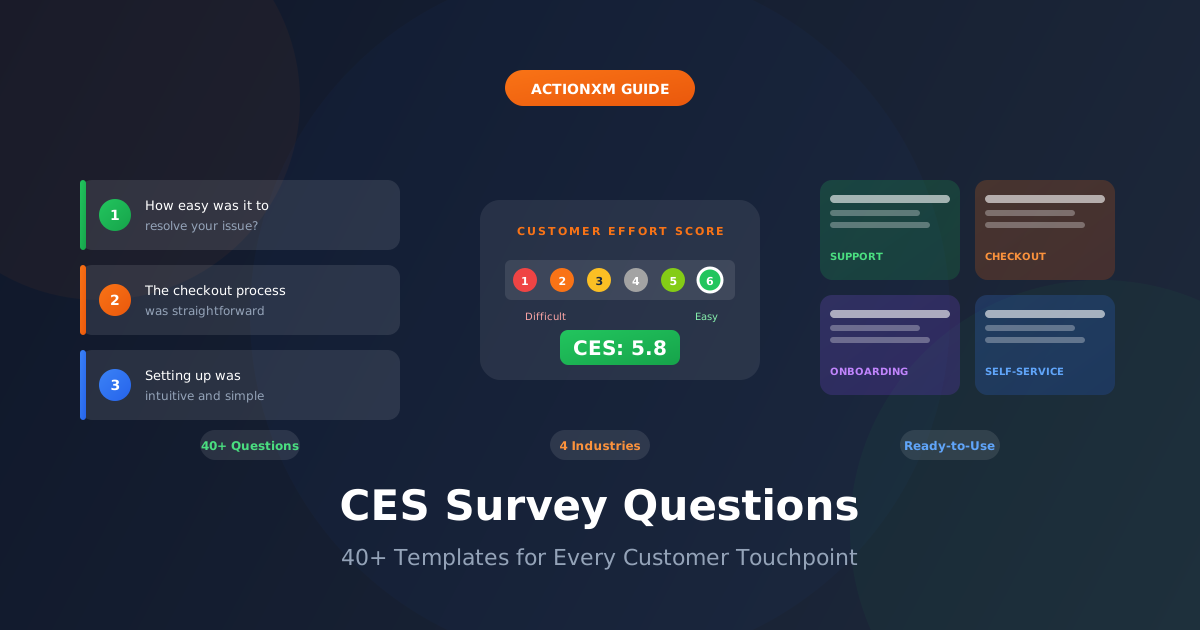
This guide provides 40+ battle-tested CES survey questions organized by touchpoint, plus ready-to-deploy templates for every industry. Each question has been validated through research to capture genuine customer effort perception.
The Anatomy of an Effective CES Question
Before diving into specific questions, understanding what makes a CES question work helps you adapt these templates to your context.
Two CES Question Formats
Modern CES measurement uses two validated formats. Choose based on your survey context:
Research from Gartner confirms that the CES 2.0 agreement format reduces response bias compared to the original “How much effort?” phrasing—customers interpret “ease” more consistently than “effort.”
40+ CES Survey Questions by Touchpoint
Customer Support Questions (1-10)
The most common CES use case: measuring friction in support interactions.
Purchase & Transaction Questions (11-18)
Measure friction in the buying journey—from browsing to checkout to payment.
Product & Onboarding Questions (19-28)
Critical for SaaS and subscription businesses—where first impressions determine long-term retention.
Website & Self-Service Questions (29-36)
Digital self-service is where effort reduction has the highest ROI—measure it precisely.
Follow-Up & Open-Ended Questions (37-40+)
The CES score tells you what; open-ended follow-ups reveal why.
Pro Tip: Always make follow-up questions optional. Forcing responses yields lower quality data and frustrates customers who provided a score but have nothing to add.
CES Question Templates by Industry
Different industries face unique friction challenges. Here are ready-to-deploy templates:
SaaS & Technology
E-commerce & Retail
Healthcare
Financial Services
CES Response Scales Compared
Choosing the right scale affects both response rates and data quality. Here’s what works best:
Strongly Disagree
Neutral
Strongly Agree
Very Difficult
Difficult
Neutral
Easy
Very Easy
When to Send CES Surveys: The Timing Framework
Timing determines response quality more than any other factor. Here’s the research-backed framework:
- Post-checkout confirmation page
- End of live chat session
- After completing in-app action
- Post-IVR call resolution
- Post-support email closure
- After phone support call
- Feature activation completion
- Self-service task finish
- Post-product delivery
- After onboarding completion
- Post-installation/setup
- After training session
- Healthcare post-visit
- Post-service appointment
- After milestone achievement
- Complex issue resolution
CES Survey Delivery Channels
Different channels yield dramatically different response rates. Match your channel to the touchpoint:
| Channel | Response Rate | Best For | CES Question Format |
|---|---|---|---|
| In-app modal | 15-30% | Product usage, feature adoption | 5-point emoji or numeric |
| Post-chat widget | 25-40% | Support interactions | 7-point Likert |
| Post-call IVR | 30-50% | Phone support | 5-point numeric (voice) |
| 5-15% | Follow-up, onboarding | Full 7-point with follow-up | |
| SMS | 15-30% | Transactions, deliveries | 5-point numeric |
| Web intercept | 10-20% | Website/self-service | Emoji or 5-point |
Channel Rule: Deploy the survey on the same channel where the interaction occurred. Customers who received phone support should get a phone survey (IVR or callback)—not an email.
Avoiding Common CES Question Mistakes
CES Question Quick Reference
Frequently Asked Questions
What’s the best CES question wording?
The most validated wording uses the CES 2.0 format: “[Company/Product] made it easy for me to [handle my issue/complete my task]” with a 7-point agreement scale. This positive framing reduces bias compared to asking “How much effort did you exert?”
How many questions should a CES survey have?
Keep it to 2 questions maximum: one CES rating and one optional open-ended follow-up. Each additional question reduces completion rates by approximately 10%. If you need more data, use targeted surveys for different customer segments.
Should I customize follow-up questions based on the score?
Yes. Customers who give low scores (1-3) need different follow-ups than those giving high scores (5-7). Ask low scorers “What made this difficult?” and high scorers “What made this easy?” to get actionable insights for both improvement and replication.
What’s the difference between CES and CSAT questions?
CES measures friction: “How easy was it to accomplish this task?” CSAT measures satisfaction: “How satisfied were you with this interaction?” CES is more predictive of loyalty—96% of high-effort customers become disloyal versus 9% of low-effort customers.
When should I send CES surveys versus NPS surveys?
Use CES after specific interactions (support calls, purchases, feature usage) to measure transactional friction. Use NPS periodically (quarterly or annually) to measure overall brand loyalty. They’re complementary—strong CES at touchpoints leads to strong NPS over time.
What response rate should I expect from CES surveys?
Response rates vary by channel: 30-50% for post-call IVR, 15-30% for SMS and in-app, 5-15% for email. The key factor is timing—surveys sent within 5 minutes of interaction completion achieve 2-3x higher response rates than those sent hours later.
Start Measuring Customer Effort Effectively
The right CES questions transform abstract “customer experience” into measurable, improvable touchpoints. Every question in this guide has been validated through research to capture genuine effort perception—not survey noise.
But questions are just the beginning. Turning CES data into business improvement requires systematic collection, intelligent routing, and rapid response to high-effort experiences.
ActionXM automates the entire CES lifecycle: deploying contextually-appropriate questions at the right moment, routing alerts to the right teams, and tracking improvement over time. Stop guessing where friction exists—start measuring it precisely.
Ready to reduce customer effort?
- Request a demo to see CES automation →
- Learn how to calculate and improve CES →
- Compare CES with other CX metrics →
Questions about building your CES survey program? Contact our team—we help companies design effort measurement strategies that drive real business outcomes.
Sources
- SurveySparrow - Customer Effort Score Questions
- Refiner - 12 CES Questions to Use
- Gartner - Effortless Experience Research
- Qualtrics - Customer Effort Score Guide
- SurveyMonkey - CES Questions Template
- Userpilot - CES Survey Template
- Zonka Feedback - CES Survey Template
- Contentsquare - Customer Effort Score Survey
- Fullview - CES Calculator and Benchmarks
- Hotjar - CES Survey Template
- Zykrr - Customer Effort Score Guide 2025
- Fluent Support - CES Calculator and Examples